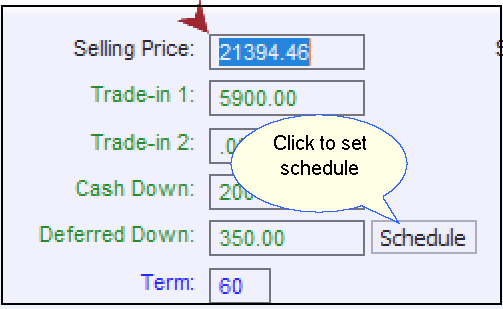
If you are taking deferred down payments from a customer as part of the deal, set a schedule for those payments in the 1-Financial Calculations tab.
➢The finance source must be set to something other than CASH.
➢The Deferred Down box is found in the Payment Information side of the 1-Financial Calculations tab.
➢Enter the total amount of deferred down money you have agreed to receive from the customer.
➢You may then break out that total into three separate payments by clicking the Schedule button. The system will display a window in which you can set the due dates of these three separate payments as well as the amounts due at each payment. (See example shown below).
When you set a payment amount less than the total deferred amount due, the system will automatically fill in the next payment with the remaining amount.
For example, you have agreed to a deferred down payment of $650.00. You schedule a first payment of $400.00. The system calculates that your customer still owes $250.00 and sets the next payment amount to $250.00. If you change the second payment to $200.00, then the system schedules a third payment for the remaining $50.00.
Click the OK button to finish scheduling deferred down payments.